

Change Background
Replace the background of your headshot with a different setting
 Written by Loris Siegenthaler · Founder
 2 min read
Updated 6 June 2026
The background swap lets you place your headshot in a completely different environment. The AI generates a new version of your image with the selected background style while keeping you and your pose intact.
How It Works
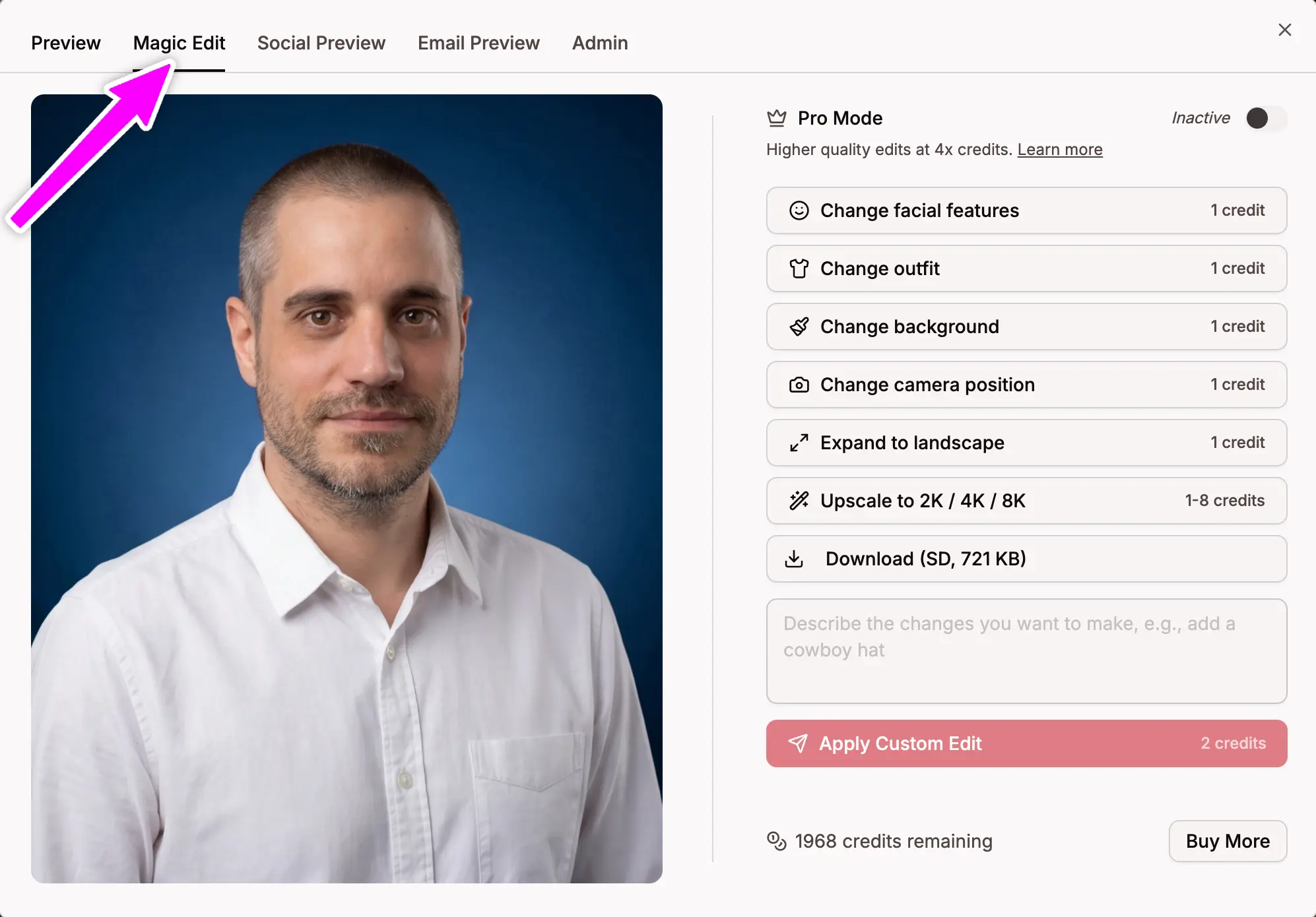
- Open a headshot in the Magic Editor
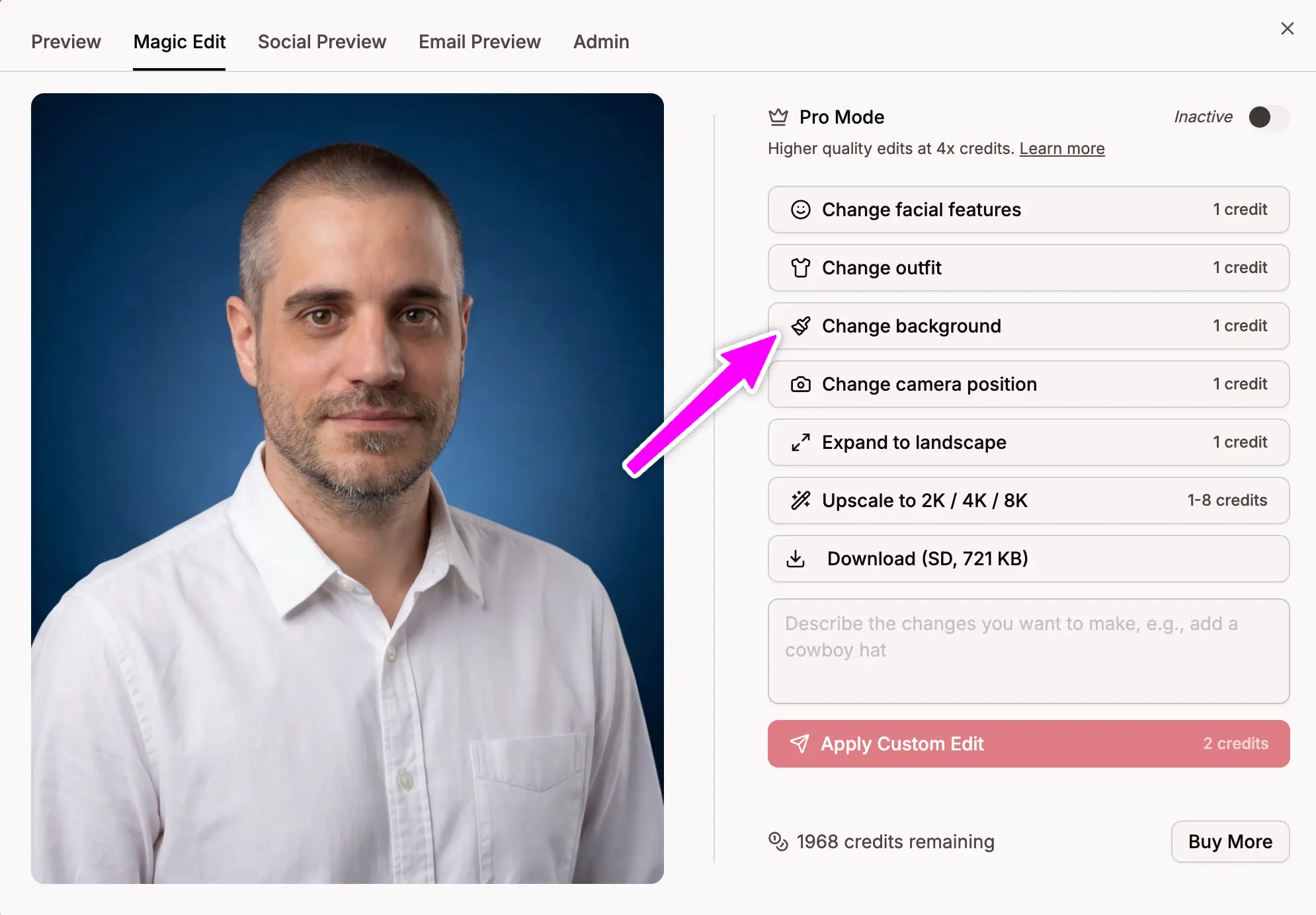
- Click Change background
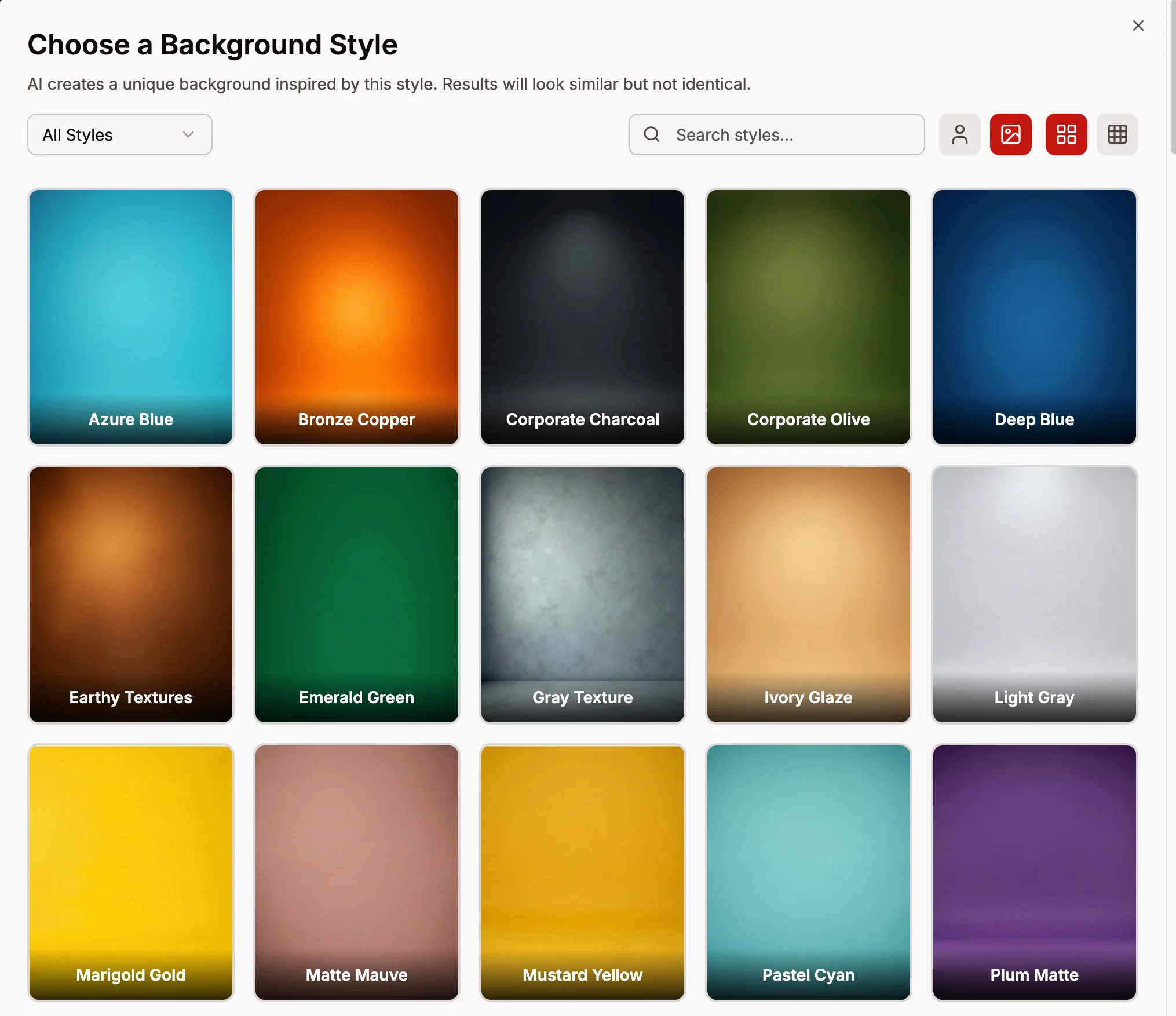
- Browse the available background styles
- Select the one you want
The AI generates a new version inspired by the style you chose. Results are AI-generated, so each one is unique — even if you apply the same background style twice, you'll get slightly different results.
Background Categories
- Studio — clean, simple backdrops with solid or gradient colors
- Corporate — professional office and business environments
- Urban — city streets, modern architecture, and urban settings
- Nature — parks, greenery, and outdoor environments
- Architectural — buildings, interiors, and structural spaces
- Residential — home and casual interior settings
Credits
- 2 credits per background change