

Konto löschen
So wird das Jobfoto-Konto mit allen zugehörigen Daten gelöscht
 Geschrieben von Loris Siegenthaler · Gründer
Das Jobfoto-Konto lässt sich jederzeit dauerhaft löschen. Entwurfsprofile werden beim Schliessen des Kontos automatisch gelöscht. Profile mit generierten Fotos müssen zuerst manuell gelöscht werden.
Voraussetzungen
Der Button Konto löschen ist deaktiviert, solange noch Profile mit generierten Fotos vorhanden sind oder kürzlich gelöschte Profile noch bereinigt werden. Vor der Kontolöschung müssen alle Profile mit generierten Fotos gelöscht und die Bereinigung abgeschlossen sein.
Konto löschen
- Zuerst alle Profile mit generierten Fotos löschen (siehe Profil löschen)
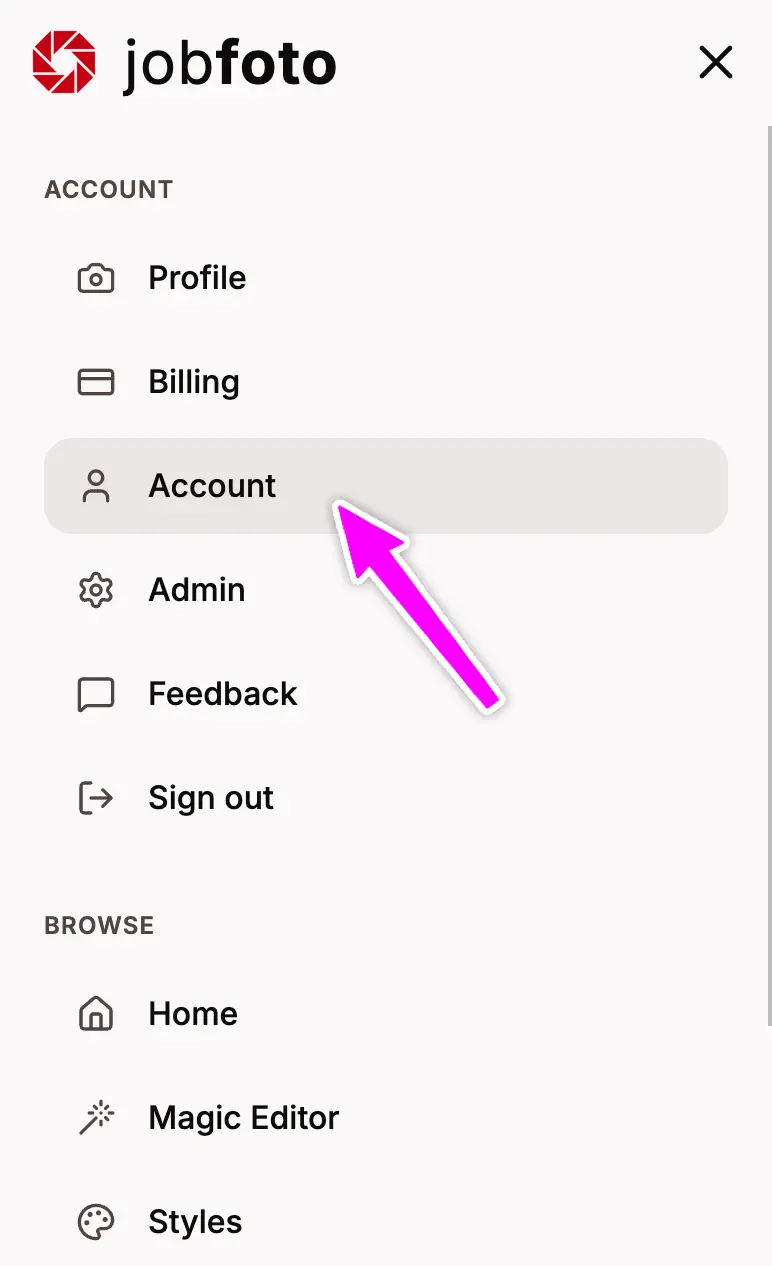
- Zu den Kontoeinstellungen gehen
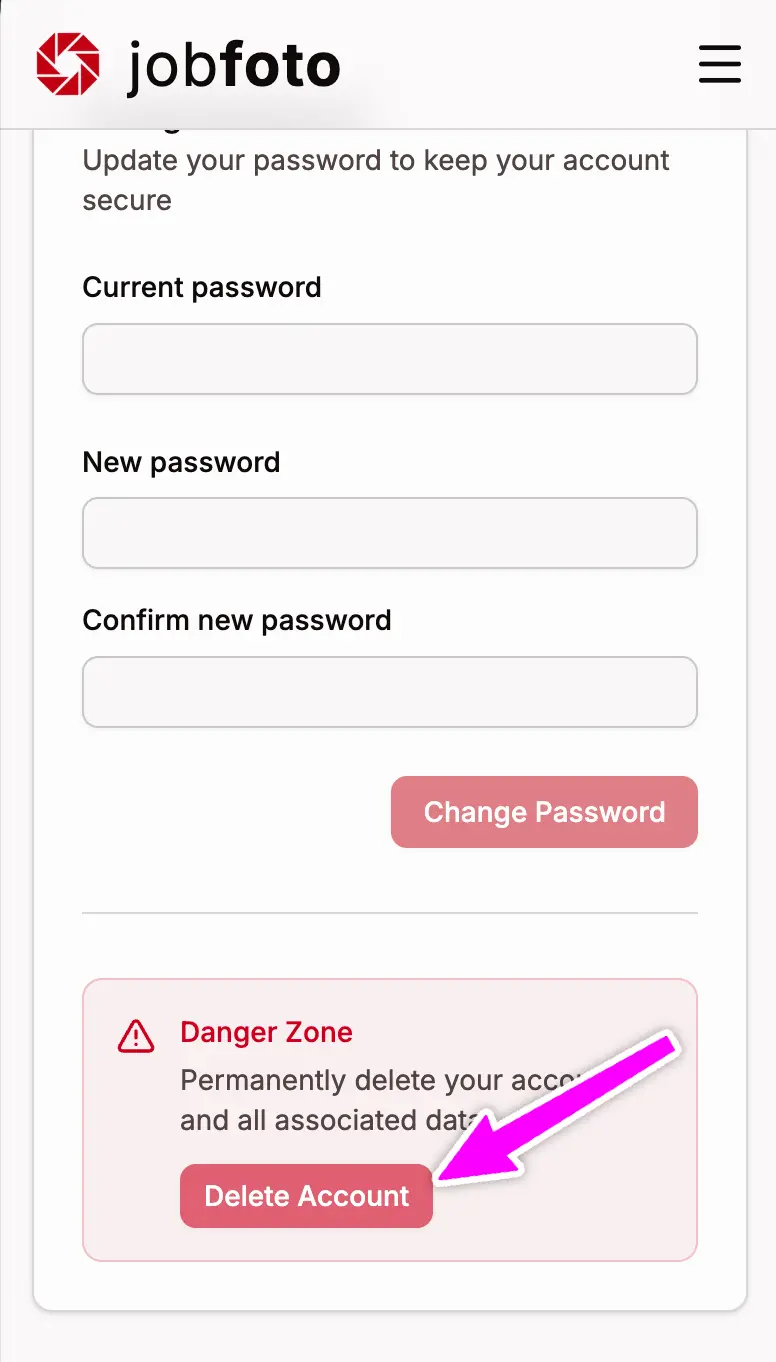
- Zum Abschnitt Gefahrenzone scrollen
- Auf Konto löschen klicken (aktiviert, sobald alle Profile gelöscht sind und die Bereinigung abgeschlossen ist)
- Die Entscheidung bestätigen
Was gelöscht wird
Kontodaten
- Ihre Kontoinformationen und Einstellungen
- Verbleibende Magic Editor-Credits
Profildaten (separat gelöscht)
Profildaten - hochgeladene Fotos und generierte Bewerbungsfotos - werden entfernt, sobald das jeweilige Profil gelöscht wird.
Wichtige Hinweise
- Löschung ist dauerhaft - Ihr Konto und die zugehörigen Daten können nicht wiederhergestellt werden
- Ungenutzte Credits verfallen - sie können nicht erstattet oder übertragen werden
Nach der Löschung
Ein neues Jobfoto-Konto lässt sich jederzeit mit derselben oder einer anderen E-Mail-Adresse erstellen. Der Start erfolgt jedoch ohne die bisherigen Daten.
Brauchen Sie Hilfe?
Bei Fragen zur Löschung oder wenn Sie Unterstützung benötigen, besuchen Sie unsere Support-Seite.